# How to extend any HTML element with React and Typescript
In React, we often build small components to encapsulate specific behaviors. This allows for [composition](https://reactjs.org/docs/composition-vs-inheritance.html) and high re-usability.
Sometimes for instance, it makes sense to wrap a basic HTML tag like an `` in a Component, to add conditional styling or some extra piece of functionality. However, in that case it stops being a real DOM element and accepting html attributes.
Wouldn't it be nice to keep the original interface of the element we're wrapping ?
We'll learn how to do that in today's article !
## Making a Button
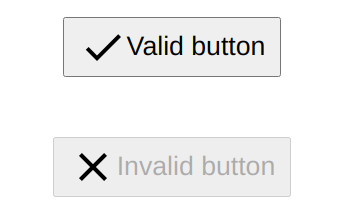
Let's say you want to make a button that takes a `valid` property and displays a ✔️ if this prop evaluates to true, and a ❌ otherwise. Sounds easy enough, let's get to it!
First let's define the interface for our `Button`
```typescript
interface ButtonProps {
valid: Boolean;
}
```
It takes a single `valid` boolean property.
The component itself looks like this :
```typescript
const Button: React.FunctionComponent = ({
valid,
children,
}) => {
return (
{valid ?
);
};
export default Button;
```
Perfect ! The component renders correctly depending on the value of `valid` :
Lovely ! However we probably want for something to happen when we click on the button, and that's where we run into some trouble. For example, let's try to trigger a simple alert on click :
```typescript
{
alert("hello");
}}
valid={valid}
>
Valid button
```
If you try to use your Button that way, typescript will complain:
```bash
Type '{ children: string; onClick: () => void; valid: boolean; }' is not assignable to type 'IntrinsicAttributes & ButtonProps & { children?: ReactNode; }'.
Property 'onClick' does not exist on type 'IntrinsicAttributes & ButtonProps & { children?: ReactNode; }'. TS2322
```
And indeed, while the `onClick` property is part of a `button` interface, our custom `Button` only accepts the `valid` props !
Let's try to fix that.
---
## Typing the component
First it's important to know that working with React type declarations can be a little tricky. Like most libraries, React delegates its types to the [Definetly Type Repository](https://github.com/DefinitelyTyped/DefinitelyTyped). If you head over to the [React section](https://github.com/DefinitelyTyped/DefinitelyTyped/blob/78120d1d515a1cd7bcd3145424b1a17be15310a9/types/babel-plugin-react-html-attrs/index.d.ts#L1742), you'll find a *lot* of similar interfaces.
Take `React.HTMLAttributes` for instance. It is a generic interface that accepts all kind of `HtmlElement` types. Let's try it with `HTMLButtonElement`. It seems to be what we're looking for, and if we use it, Typescript will stop complaining.
```typescript
interface ButtonProps extends React.HTMLAttributes {
valid: Boolean;
}
```
Now that works like a charm, so what am I going on about ? Well, say we want to set the type of our Button ...
```typescript
{
alert("hello");
}}
valid={valid}
type="submit"
>
Valid button
```
We get a compilation error !
```bash
Type '{ children: string; onClick: () => void; type: string; valid: boolean; }' is not assignable to type 'IntrinsicAttributes & ButtonProps & { children?: ReactNode; }'.
Property 'type' does not exist on type 'IntrinsicAttributes & ButtonProps & { children?: ReactNode; }'. TS2322
```
And indeed, taking a closer look to [React.HTMLAttribute](https://github.com/DefinitelyTyped/DefinitelyTyped/blob/78120d1d515a1cd7bcd3145424b1a17be15310a9/types/babel-plugin-react-html-attrs/index.d.ts#L1742) it doesn't actually define any html attribute specific to the `HtmlElement` type it receives:
```typescript
interface HTMLAttributes extends AriaAttributes, DOMAttributes {
// is not used here
}
```
The `DOMAttributes` that it extends only deals with event handlers. This is is just one example, but there a many others, and since I am a great guy, I'm going to save you some time and give you the correct interface to use. The one that actually does what we want is `React.ComponentProps`. Note that we pass it a string and not a type.
```typescript
interface ButtonProps extends React.ComponentProps<"button"> {
valid: Boolean;
}
```
No more compilation error ! Our `Button` component now has the exact same interface as a normal `button`, with the additional `valid` property.
Done ? Almost but we still have a little problem left to solve.
---
## Passing the props down to the DOM
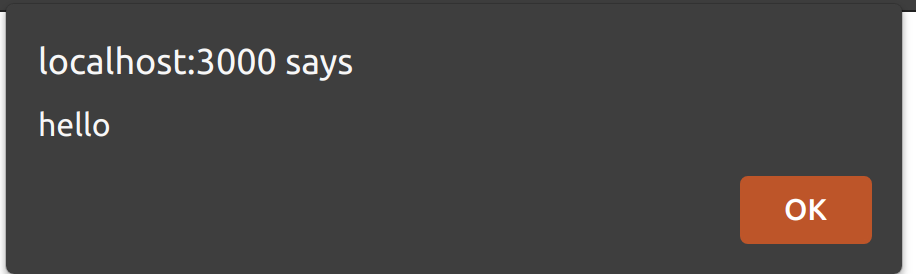
Indeed, if we click on the button nothing happens. It should display an alert, but it doesn't, something is missing.
The problem is, while we have the correct interface, we need to pass the props down to the actual `` element. Now, we could set the onClick handler explicitely by adding the props to our component. However, we want our `Button` to be able to handle any props that a `` might receive. Doing that for every possible HTML attribute would be hard to read and way too time consuming.
That's where the spread operator comes in handy ! Have look :
```typescript
const Button: React.FunctionComponent = ({
valid,
children,
...buttonProps
}) => {
return (
{valid ?
);
};
```
Since our component is typed correctly, Typescript can infer that `ButtonProps` only contains HTML attributes, and we can pass it directly to the actual `DOM` element.
And now our `Button` finally works as expected :
Not only that but we can pass it any props as you would a ``. `type`, `name`.. you name it !
It's magic !
%[https://media.giphy.com/media/Nj5sTh6kdoKfm/giphy.gif]
---
## Conclusion
That's all for today ! Hope your found this article useful, more will come soon !
---
## References
1. [React Typescript CheatSheet](https://react-typescript-cheatsheet.netlify.app/docs/advanced/patterns_by_usecase)